FREE ONLINE IMAGE COMPRESSOR
Image Compressor to 50KB
Compress JPG, PNG and WebP images to a custom file size online. Reduce image size to 50KB, 100KB, 200KB, 250KB or any size for free.
Multiple Formats
Compress JPG, PNG and WebP images.
Custom File Size
Choose 50KB, 100KB, 250KB or any custom target.
Maintain Quality
Best effort to preserve visual clarity under your size limit.
Browser Processing
This compressor processes images on your device.
Free to Use
No registration needed for the image compressor.
Everything you need, in one place.
Explore practical image and document tools with clean, easy-to-use workspaces.
Find the right tool for every task.
Browse compressor presets, PDF utilities, resizing, image editing and more.
Exact Target Sizes22 options⌄
Image to PDF14 options⌄
General Compression7 options⌄
Resize for Social Media5 options⌄
Format Conversions15 options⌄
General Resizing6 options⌄
Resize for Applications5 options⌄
Passport & ID Photo Sizes11 options⌄
Blur, Pixelate & Effects20 options⌄
DPI & Quality4 options⌄
AI Background Tools2 options⌄
Basic Editing27 options⌄
How to Compress an Image to 50KB Online
A practical guide to choosing the right image size, preserving useful detail, and preparing photographs for online application forms.
Use the Image CompressorCompress to 50KB in five simple steps
- Upload your image. Choose a JPG, PNG, or WebP file using the compressor at the top of the page.
- Select your target. Click 50KB, or choose 100KB, 200KB, 250KB, or a custom maximum.
- Pick an output format. JPG is often suitable for photos; PNG works well for graphics and transparency.
- Compress the file. Let PixReqly process the photo in your browser.
- Check and download. Confirm the file size, dimensions, and clarity before uploading to a portal.
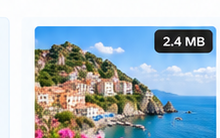
2.4 MB
50 KB
This is a design illustration, not a measured before-and-after test. Your real file size and image quality depend on your uploaded photo.
Why do people need a 50KB photo?
An online application can be rejected for a small detail: the uploaded photo exceeds the file-size limit. This is common with job applications, exam registrations, university forms, and online document submissions. A useful image compressor to 50kb helps bring an oversized photograph closer to the limit without making you learn complicated editing software.
The best result is not always the smallest possible file. Your photograph still needs a recognizable face, legible writing where required, and the correct dimensions. If the form says maximum 50KB, a file below that limit may be acceptable; it does not necessarily have to contain exactly 50,000 bytes.
How can you keep the image looking clear?
To compress image to 50kb with a better chance of a usable result, begin with the original file. Crop away unnecessary empty space, check whether the receiving website specifies exact pixel dimensions, and avoid repeatedly saving an already compressed JPG. Large phone images may need both resizing and compression to reach a strict 50KB limit.
When you use a photo compressor to 50kb, fine hair, patterned clothing, and text can lose detail first. Look at the downloaded photo at a normal viewing size before submitting it. If your portal allows 100KB or 250KB instead, using that higher permitted limit may preserve more detail.
JPG, PNG, or WebP: which output format is best?
JPG is usually a practical option for photographs and headshots. PNG is useful for signatures, diagrams, transparent artwork, and sharp graphic edges, but complex PNG images may not shrink enough without resizing. WebP can be efficient, but some application forms accept only JPG or JPEG.
If you need to convert image to jpg 50 kb, select JPG as the output format and set a 50KB maximum before compressing. Changing the extension alone does not guarantee that the file reaches the requested size. JPG also does not preserve transparent backgrounds, so check the preview before downloading.
What if the application asks for a different KB size?
Different forms use different limits. Use 50KB for a strict small-file requirement, 100KB or 200KB when more detail is allowed, and 250KB when that is the stated maximum. With PixReqly, you can switch presets or enter your own target. A 50 kb converter should always make the final file size visible so you can verify the result yourself.
Important for Indian application forms: File size is only one requirement. Government, recruitment, exam, and college portals may also specify photo dimensions, background color, file format, and crop. Always follow the particular portal’s instructions.
Common mistakes to avoid
A 45KB PNG may still be rejected by a portal asking for JPG only. A 50KB portrait can fail if its pixel dimensions are wrong. Blurriness may result from excessive compression, an already low-resolution source, or multiple rounds of exporting. Fix dimensions first when required, then compress once from the original and inspect the downloaded file.
When you are unsure whether the issue is size or formatting, the Image Resizer, Image Converter, and Upload Requirements Fixer can help with the other specifications.
Common Questions About 50KB Image Compression
Is it possible to “compress image to 50kb” without visible quality loss?
Not in every case. Large reductions can remove fine detail. Starting from the original image and choosing suitable dimensions can help the result remain useful.
Does an image compressor to 50kb always produce exactly 50KB?
Not necessarily. The 50KB setting is a maximum-size target. The final file can be smaller, and some complex images may require a lower resolution to fit.
Can a photo compressor to 50kb prepare Indian exam or job photos?
Yes, when the downloaded file meets that form's rules. Always check accepted formats, pixel dimensions, crop, and the stated KB limit.
Can I change a PNG to JPG under 50KB?
Choose JPG output and the 50KB target, then verify the result. Transparent PNG areas cannot remain transparent in JPG.
Why does my image become blurry?
Very small file-size limits, repeated JPG exports, or reducing pixel dimensions too far can damage clarity. Try the original source and use the highest file-size limit your portal allows.
Is PixReqly free to use?
The browser-based compressor is free to use. Files are processed locally in your browser with the supported image formats; no account is required for this tool.
Simple guides for everyday image tasks.
Step-by-step instructions, clear examples and real-world tips.
Ready to make your image smaller?
Choose an image, select 50KB or a custom limit, and compress it without signing up.